


Video Downloader & Fast safe
4.04.00 Reviews
App Specs
- Version
- 1.0.8
- Updated On
- License
- Free
- Downloads
- 100,000+
- Developer
- Gang Peng dev.
- Categories
- Video Players & Editors
- Platform
- Android
Screenshots
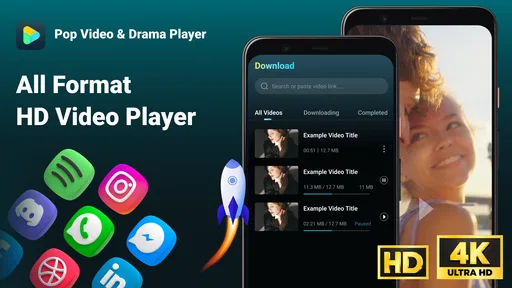
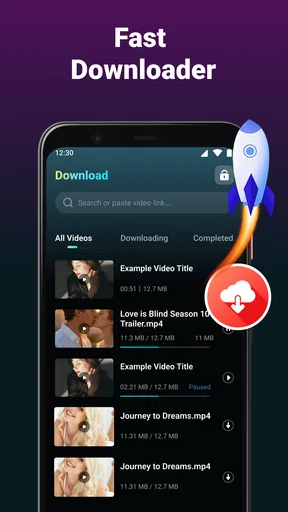

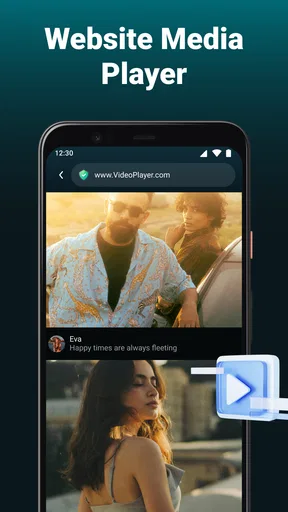
 Analysis by AppCompare
Video Downloader & Fast safe is the kind of app I would look at when I want a straightforward way to handle video links on an Android phone rather than manage everything through a browser. It sits in the video players and editors category, but its practical role is narrower: it focuses on parsing video links, saving media locally, and letting me watch short dramas offline. That makes it more useful for planned viewing than for editing clips or organizing a large personal media library.
My first impression is that the app is built around a simple sequence: bring in a video link, let the app process it, save the media, and watch it later. That limited purpose is also its main appeal. I do not need to learn a complicated timeline, adjust export settings, or sort through a crowded entertainment platform. If your main concern is having short-form video available when your connection is unreliable, the idea is easy to understand.
The app is free and rated for Everyone, which lowers the barrier for casual users. It comes from Gang Peng dev. and currently appears as version 1.0.8. Its store summary points clearly toward offline short-drama viewing rather than broad video production, so I would judge it by how smoothly it supports that particular routine instead of expecting a complete media toolkit.
How the app feels during everyday use
I find that everyday use is easiest to judge by separating the moment of saving a link from the later viewing session: each has different demands, and a little planning can make both feel more dependable. I would start with one familiar video and treat the first successful save as a practical test, then build a routine around the sources that work reliably.
Speed expectations when starting a download
The word “Fast” in the name can create a high expectation, but I would separate the app’s own responsiveness from the speed of the internet connection and the source hosting the video. Parsing a link may feel quick when the address is recognized immediately, while the actual saving process can still depend on network conditions. In other words, this is not an app that can make a slow connection behave like a fast one.
For a normal user, the most important speed question is whether the path from link to saved video feels uncomplicated. A downloader becomes frustrating when it makes me repeat steps, search through unclear menus, or wait without knowing whether anything is happening. Video Downloader & Fast safe is most appealing when I already have a link and want to turn it into something I can watch later without opening the original page again.
I would use it before a commute, a flight, or a period when mobile data is limited. The useful habit is to prepare downloads while connected to a dependable network, then check that the media is actually available locally before leaving. That workflow matters more than chasing maximum download speed, because a failed or incomplete file discovered later is far more inconvenient than a download that took a little longer at home.
Worth Reading Before You Choose

EA SPORTS FC Mobile 26 Is a Bigger Football Game, but It Takes Time

Flipboard Shows What News Apps Must Do Beyond the Feed

Switching to Android Auto Means Rethinking Your Driving Routine

Google Calendar Makes a Crowded Week Easier to Manage

Ludo King Makes the Most of the Minutes Between Plans

Baby Panda World Brings Quick Play to Modern Phones, but Its Game Library Feels Busy
The practical speed advantage is preparation, not magic acceleration. Saving a short drama in advance can make playback feel instant later, since the viewing session no longer depends on a live connection. This is especially helpful in places where signal changes frequently, such as underground transport, crowded venues, or buildings with weak indoor reception.
What happens during heavier use
A single short video is a very different task from preparing several episodes or saving media repeatedly throughout the day. The app’s purpose makes batch-like behavior tempting, but I would approach heavier use carefully. More downloads naturally mean more storage activity, more files to identify, and more chances for a network interruption to affect the routine. The simple interface that feels pleasant for one link may feel less convenient when the queue grows.
There is also a practical phone-management issue. Offline video is useful precisely because it stays on the device, but saved media can quietly consume space if I forget about it. I would make a habit of reviewing older episodes after watching them, especially on a phone with limited storage. Keeping only the next few videos I genuinely expect to watch makes the app feel lighter and reduces the chance that unrelated apps will later struggle for space.
For repeated use, I would avoid starting many downloads while the phone is busy with navigation, video calls, gaming, or camera work. That is not a criticism unique to this app; it is a sensible way to avoid competing demands on a mobile device. The best experience is likely to come from treating downloads as a small preparation task rather than leaving the app to handle an enormous backlog in the background.
A useful non-obvious routine is to separate “download time” from “watch time.” I would parse and save links when the phone is charging or connected to a stable network, then close the preparation session and watch later. This reduces the temptation to keep checking progress and helps me notice early whether a particular link was accepted or needs attention.
Reliability and recovering from interruptions
Reliability matters more to me than a flashy interface in a downloader. A saved file is valuable only if it can be opened when I need it. With any link-based tool, the original address can be a weak point: a link may expire, change, require access through its source page, or simply be unsuitable for the app’s parser. That means a failed result does not automatically indicate that the phone or the app is malfunctioning.
When something does not work, I would first check the basics rather than repeatedly tapping the same action. Confirm that the link was copied completely, try again from the original source, and make sure the device still has enough free storage. If the network dropped halfway through, restarting the process may be more productive than waiting indefinitely. These steps sound simple, but they are exactly the kind of recovery habits that prevent a small failure from becoming a long, confusing session.
I would also avoid assuming that every video page is interchangeable. The store description presents the app as a video downloader, but that should not be read as a promise that every service, format, or protected page will work. A tool based on parsing links is naturally more dependable with links it can recognize than with pages that depend on sign-ins, changing delivery methods, or restrictions imposed by the source.
My advice is to test one ordinary link before relying on the app for an important trip. If that trial produces a playable local file, I would then prepare the rest of the content. This small check is more useful than downloading a whole set at the last minute and discovering that the source behaves differently than expected.
Device constraints and Android compatibility
The minimum requirement is Android 7.0, so the app is aimed at a broad range of Android phones rather than only recent models. That is good news for people who keep an older device as a travel phone or media player. Still, operating-system compatibility does not guarantee identical performance across every handset. Available storage, memory, processor age, battery condition, and the quality of the network connection can all influence how comfortable downloading and playback feel.
Older phones may be perfectly adequate for occasional short dramas but less pleasant when handling many saved files or switching rapidly between the downloader and other demanding apps. I would keep the device’s free space under control and avoid judging the app solely by how it behaves on a phone already close to its limits. If the phone regularly freezes during ordinary tasks, a downloader cannot fully solve that underlying problem.
Battery use is another reason to plan ahead. Saving media over a mobile connection can keep the screen, network radio, and storage active for longer than simply reading a message. I prefer downloading while plugged in when possible, especially if I am preparing several episodes. Then offline playback becomes the lower-stress part of the experience, since it does not need to maintain the same network activity.
The Everyone age rating makes the app approachable for a general audience, but that label should not replace sensible judgment about the videos being saved. The content comes from the source links I choose, not from the age rating alone. I would pay attention to where a link leads and use the app only for media I am allowed to save and watch.
Where it fits beside usual alternatives
Compared with watching directly through a browser, the main benefit is convenience after the download is complete. Browser viewing is better when I want the newest version of a page, live updates, comments, or the full context around a video. Local playback is better when I want fewer interruptions from weak reception and a predictable viewing session. The choice depends on whether immediate access or later independence matters more.
Compared with official streaming applications that include their own offline mode, this app may appeal to someone who already works from video links and wants a separate saving workflow. An official service can be the better option when it offers licensed downloads, account synchronization, subtitles, watch history, or a polished library. Video Downloader & Fast safe is more focused, so I would not choose it as a replacement for a full streaming subscription.
It also should not be confused with a video editor. If I need trimming, captions, transitions, filters, or a polished export for social media, I would use a dedicated editing app instead. This tool makes more sense before the editing stage, or simply as a way to keep short viewing material available offline.
One trade-off is control versus simplicity. A specialized downloader can be easier to understand than a large media suite, but it may offer less organization and fewer creative tools. I like that narrow focus for occasional saving, while a heavier user may prefer a file manager or media library with stronger sorting and storage controls.
Who will get the most from it
I can recommend it to someone who regularly receives video links, follows short dramas, and wants to watch during commutes or in areas with inconsistent service. It is also a reasonable fit for a spare Android device used mainly for offline entertainment. The free price makes experimentation easy, and the broad Android support means users do not necessarily need a new phone to try it.
A realistic example would be a reader who follows a short drama during a daily train journey. At home, they copy the next episode’s link, save it while connected to a stable network, and check that it opens before leaving. On the train, they watch the local copy instead of depending on changing signal strength. Afterward, they remove episodes they no longer need, keeping storage available for the next part of the series.
I would be more cautious about recommending it to someone who wants a huge, carefully tagged video archive. That person may quickly outgrow a simple downloader and benefit more from a dedicated media manager. I would also point frequent live-stream viewers toward the original service, because downloading is naturally less useful when the goal is real-time interaction or constantly changing content.
Users who expect every link to work automatically should lower their expectations. Link parsing is convenient when the source is compatible, but it is not the same as universal access to every video on the internet. If a particular service routinely rejects outside download tools, an official offline feature or direct browser playback will probably be less frustrating.
What the current reception suggests
The app has passed one hundred thousand installs and holds a 4.0 average from around eighty-six ratings, with four written reviews shown. I read that as a sign of genuine interest, but not as proof that every device and source behaves identically. A moderate rating can reflect a useful core idea alongside the occasional compatibility or workflow issue that matters greatly to individual users.
Those figures also suggest that I would treat the app as a focused utility rather than a universally established video platform. The developer is Gang Peng dev., and the current version is 1.0.8, so I would keep an eye on how future updates affect link handling and day-to-day stability. For now, the sensible approach is to judge it through a small personal test: one familiar link, one complete saved file, and one offline playback session.
My performance verdict
After looking at the app through the lens of speed, heavier use, recovery, and device limits, I see Video Downloader & Fast safe as a practical preparation tool rather than an all-purpose video solution. Its strongest moment is simple: I have a usable link, I want the media on my phone, and I would rather watch later without relying on a live connection.
Its limitations are equally clear. Download behavior can depend on the source, saved videos need sensible storage management, and the app should not be mistaken for an editor, a streaming subscription, or a guaranteed universal parser. Those are important boundaries, but they do not cancel out the convenience of a focused offline workflow.
I would recommend trying it if offline short-drama viewing is your specific need and you are comfortable testing links before depending on them. I would skip it in favor of an official streaming app for licensed offline libraries, or a full media manager for large collections. For the right user, its free, focused design can remove several small annoyances from everyday viewing; for everyone else, the narrow purpose may feel more restrictive than helpful.
Pros
- Downloads videos quickly with a simple
- beginner-friendly interface.
- Supports saving content for convenient offline viewing.
- Built-in browsing makes finding downloadable videos more convenient.
- Download progress is easy to monitor from one central screen.
- Lightweight design helps the app run smoothly on many devices.
Cons
- May not support downloads from every website or video platform.
- Downloaded files can use considerable storage space on your device.
- Some features may require advertisements or in-app purchases.
- Download speed depends heavily on your internet connection.
- Content downloaded through the app may have usage restrictions.
FAQs for Video Downloader & Fast safe
What is Video Downloader & Fast safe used for?
Video Downloader & Fast safe is designed to help users save supported online videos for later viewing on their device. After installing it, you can generally browse or paste a video link, choose an available quality, and start the download. Its exact capabilities depend on the websites it supports, so it should not be assumed to work with every social network or streaming platform.
Is Video Downloader & Fast safe to install and use?
The application can be useful, but users should still review its requested permissions, privacy policy, and developer information before installation. Avoid granting access that seems unrelated to downloading videos, and be cautious with pop-ups, redirects, or requests for personal details. For additional protection, download it only from a trusted store and keep your Android or iOS security updates current.
Can I download videos from YouTube, Instagram, TikTok, or other platforms?
Support varies by platform and may change when websites update their systems or impose technical restrictions. Some links may download normally, while others may open in a browser, fail, or be unavailable altogether. Before relying on the app, test it with the services you use most and remember that platform rules may prohibit downloading certain content without permission.
Where are downloaded videos saved, and can I watch them offline?
Downloaded files are typically stored in the app’s designated folder or in a location selected through the device’s file manager, depending on the operating system and app settings. Once a video has been saved successfully, it may be available without an internet connection. Storage space, file format, download quality, and device permissions can affect where the file appears and whether another player can open it.
Is Video Downloader & Fast safe free, and are there any limitations?
The app may be available at no initial cost, but free use can include advertising, optional purchases, download limits, or restrictions on resolution and simultaneous tasks. Some features may also depend on the source website rather than the app itself. Check the current store listing and in-app pricing before downloading, especially if you want unrestricted downloads or an ad-free experience.


